A fake recruiter sent me a GitHub repo invite. Here's what was inside
Someone on LinkedIn sends you a connection request. They’re a co-founder of a startup with a real website, and they have a project for you. After a few friendly messages they ask for your GitHub username, an invite to a private repo arrives, and they ask you to review the project and get it running.
This happened to me in early February 2026, during my own job search. The repo had an obfuscated payload hidden in postcss.config.js. I found it because I scanned the repo and the account that invited me before running anything. Here’s the whole story, with the red flags I could have seen at each step. In short: check who sent the invite before you accept it, and check the config files before you run anything.
If you only want the checklist, jump to it.
A CTO with a real-looking startup
The first message was short and generic: “We are currently working on an exciting project and looking for someone to collaborate with us.” Part-time work was possible too.
The profile looked fine. The person was listed as Co-Founder and CTO of a DeFi startup in Paris since 2022. The startup had a website and an active X account, and the About page on the website showed the same person. I checked all of that, and it all matched.
Then came the pitch: a crypto trading platform with AI-assisted market insights and multi-chain support, “in a very early stage”, with only the frontend built so far. A PDF job description came with it.
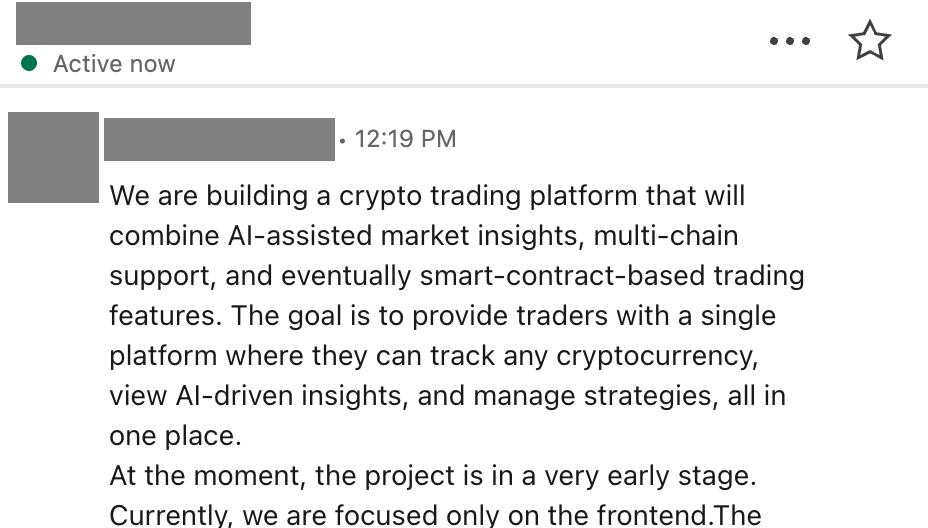
Looking back, a few things stand out. The first message could have been sent to anyone. The project was vague, and it was crypto. None of that proves a scam on its own, though. Real startups write vague messages too, which is what makes this stage hard to judge.
I’m not naming the person or the company. Scammers often borrow the identities of real people and real companies, and I can’t tell which this was. Roman Imankulov’s write-up of a similar approach found exactly that: the recruiter’s profile belonged to a real arts journalist, and the commits used a real developer’s name.
“Review the project and run it”
Before any call or interview, the next messages asked how many hours I could work, my hourly rate and how I’d like to be paid. Then they asked for my GitHub username, to “help us explain the project structure and the services we need to implement”.
A few minutes after I sent it: “Sent invitation. Please review the project to understand our goals and what we need to accomplish. If it is possible, check project running, that will be easy way to understand project.”
That last sentence is the real ask. Reading code is harmless. Running it is not. Installing dependencies, starting a dev server or running a build all execute code from the repo on your machine. In this kind of campaign, running the project is the step that infects you. ESET describes the same pattern in its research on DeceptiveDevelopment: fake recruiters send a “hiring challenge” in a private repository and ask the victim to build and run it.
An invite from an account with no history
The invite came from a GitHub account called ekikrai, for a repo called gold-trackv5 that belonged to a second account, ekikraia. The inviting account’s profile was private: no bio, no visible repositories, no activity.
A private repo also means you can’t look at the code before you accept. And accepting isn’t free. GitHub’s invitation page says the repo owners will be able to see your public profile information, certain activity in the repo, the country of your request, your access level and your IP address.
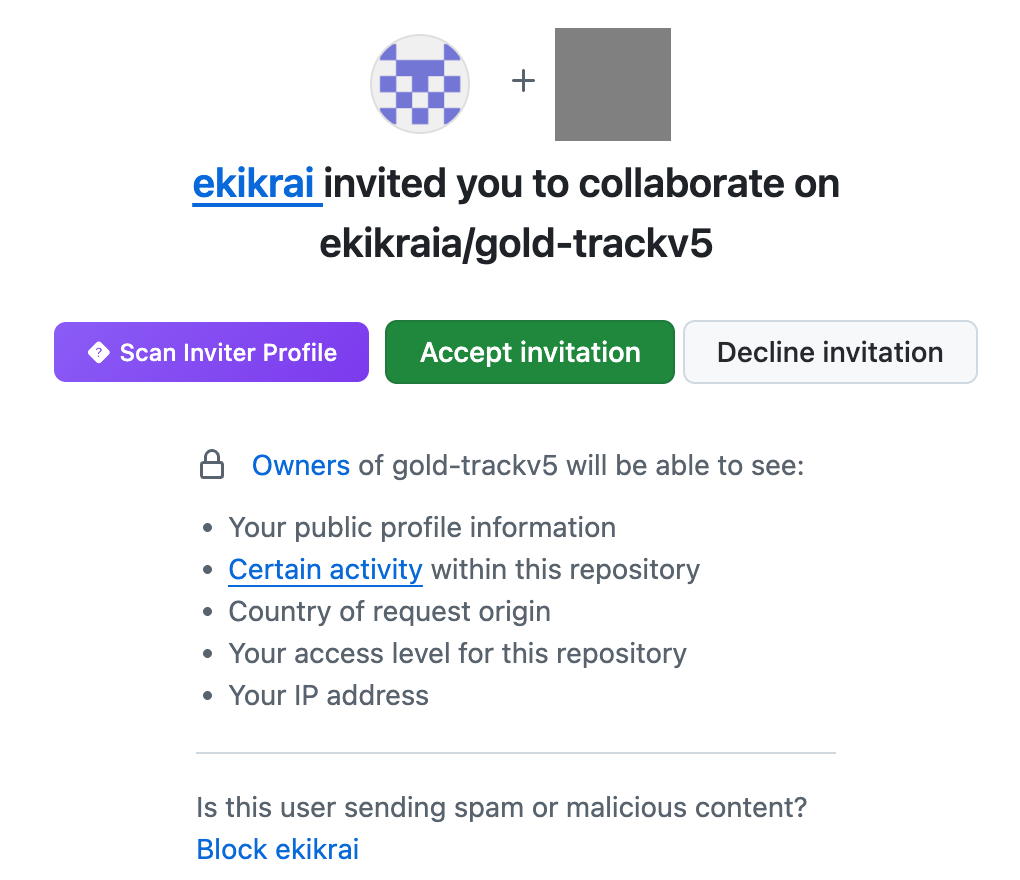
So the only thing you can check before accepting is the person who invited you.
Checking the inviter before accepting
At the time I was working on a prototype called DevGuard, the tool that later became Flagrix. A few earlier “offers” had already looked like scams, and I started it so I wouldn’t have to check each one by hand, and to stay safer. This was the first scam I caught and documented with it. I was fine-tuning it during this conversation, and I added two checks while it was happening. One of them was a scan of the account that sent the invite, run right on the invitation page.
The result:
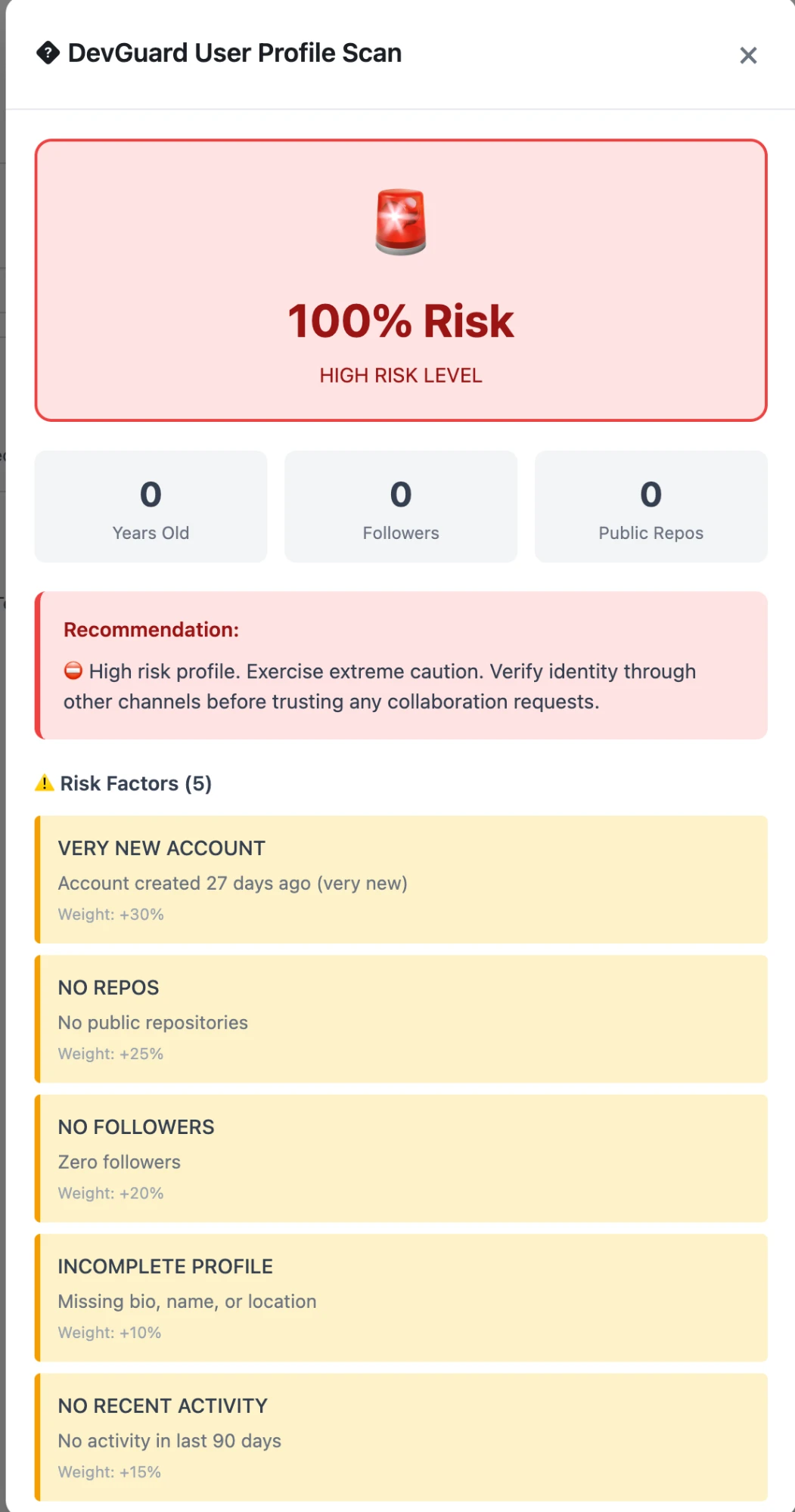
The account was 27 days old, with 0 followers, 0 public repositories, no bio, name or location, and no activity in the last 90 days. The “100% risk” is the prototype’s score; today’s Flagrix scores and words things differently.
These signals have limits. A new account with no followers isn’t proof of a scam: people create new accounts for work all the time. But a “CTO” with a company since 2022 and a GitHub account that’s four weeks old is a mismatch worth noticing. That mismatch, plus the private profile, is the signal.
Today, Flagrix adds the same check to GitHub’s invitation page as a “Scan inviter profile” button, next to Accept and Decline. It scans the inviter’s profile, because the private repo can’t be read until you accept. Here it is on a test invite I asked a friend to send me:
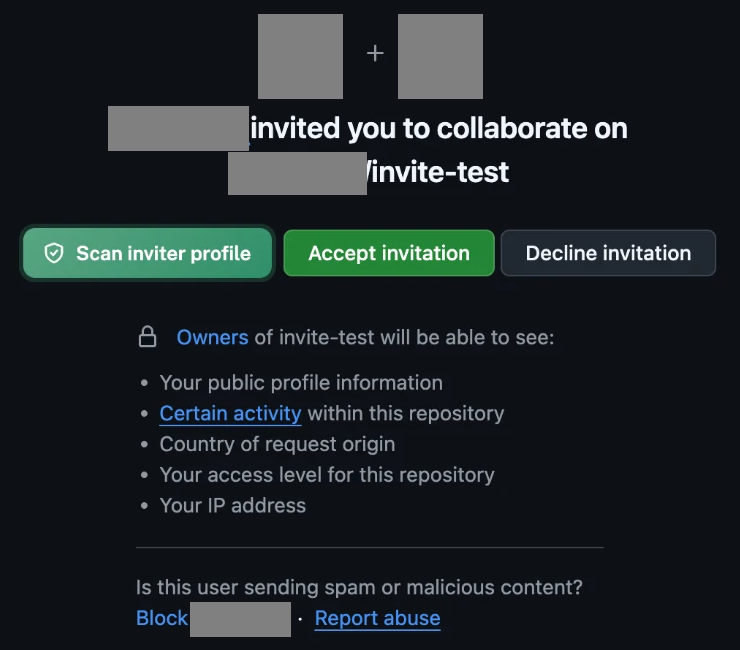
My friend’s account is 12 years old and has 13 public repos, so it comes out low risk:
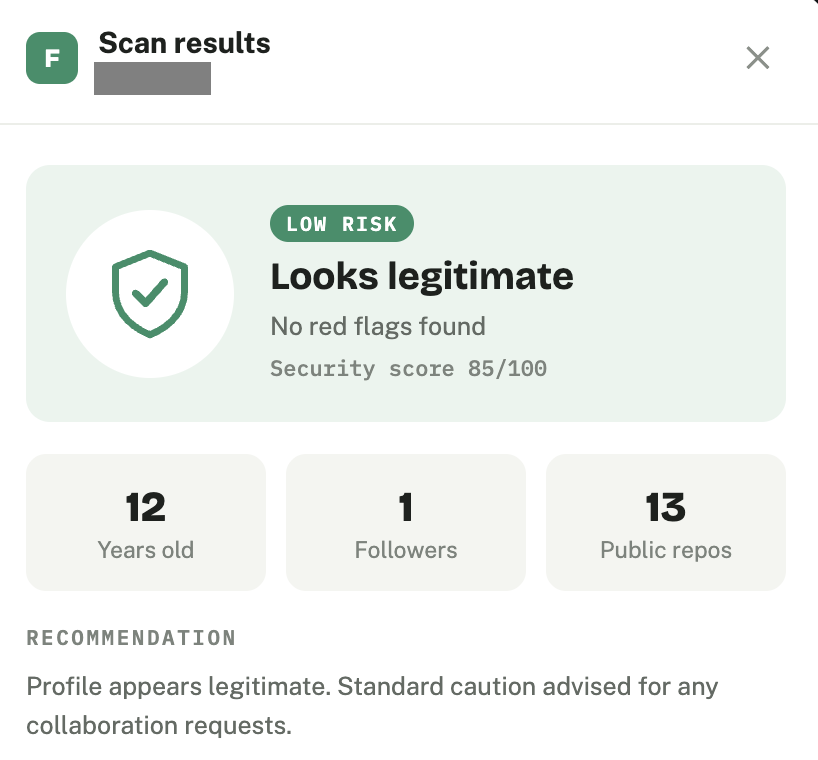
Low risk means nothing on the profile looked off. It says nothing about the code in the repo, so the checks below still apply.
A crypto platform that was really a recipe app
I accepted the invite anyway, out of curiosity and to test DevGuard on a real case, with a VPN on so the owners wouldn’t see my real IP address. Then I looked at the code on GitHub. I never cloned it, and I never ran it.
The “crypto trading platform” was a recipe app. One component rendered recipe cards with a “View More” button, with comments in Turkish.
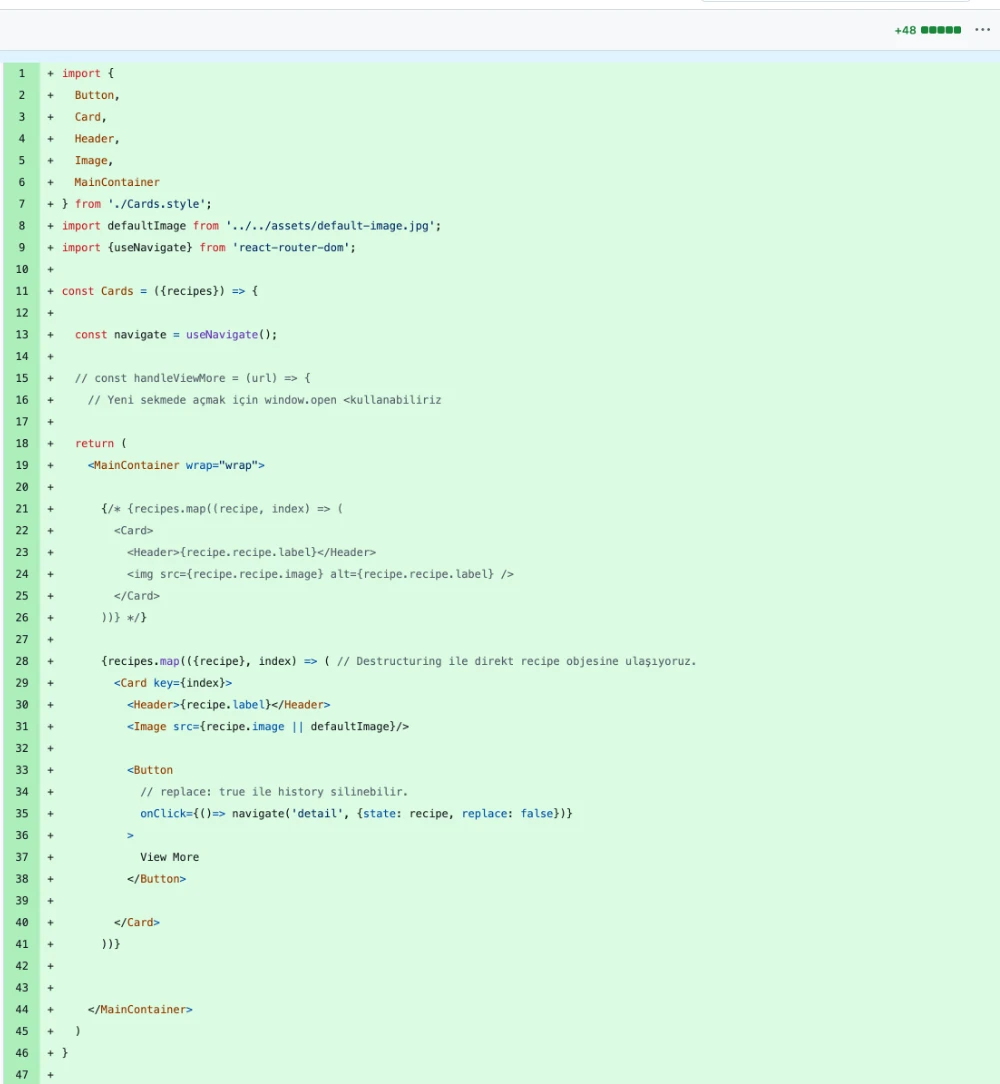
A repo that doesn’t match the pitch is a warning sign in itself. Language alone isn’t one: plenty of honest projects have comments in other languages. The second check I added during the incident looked at the language of comments, and I later gave it much less weight. On its own, it says very little.
The payload in postcss.config.js
Then I ran the repo scan. It covered 15 files and 70 dependencies and found 4 issues, with a “65% risk, high” result from the prototype. The finding that mattered was in postcss.config.js, on line 8.
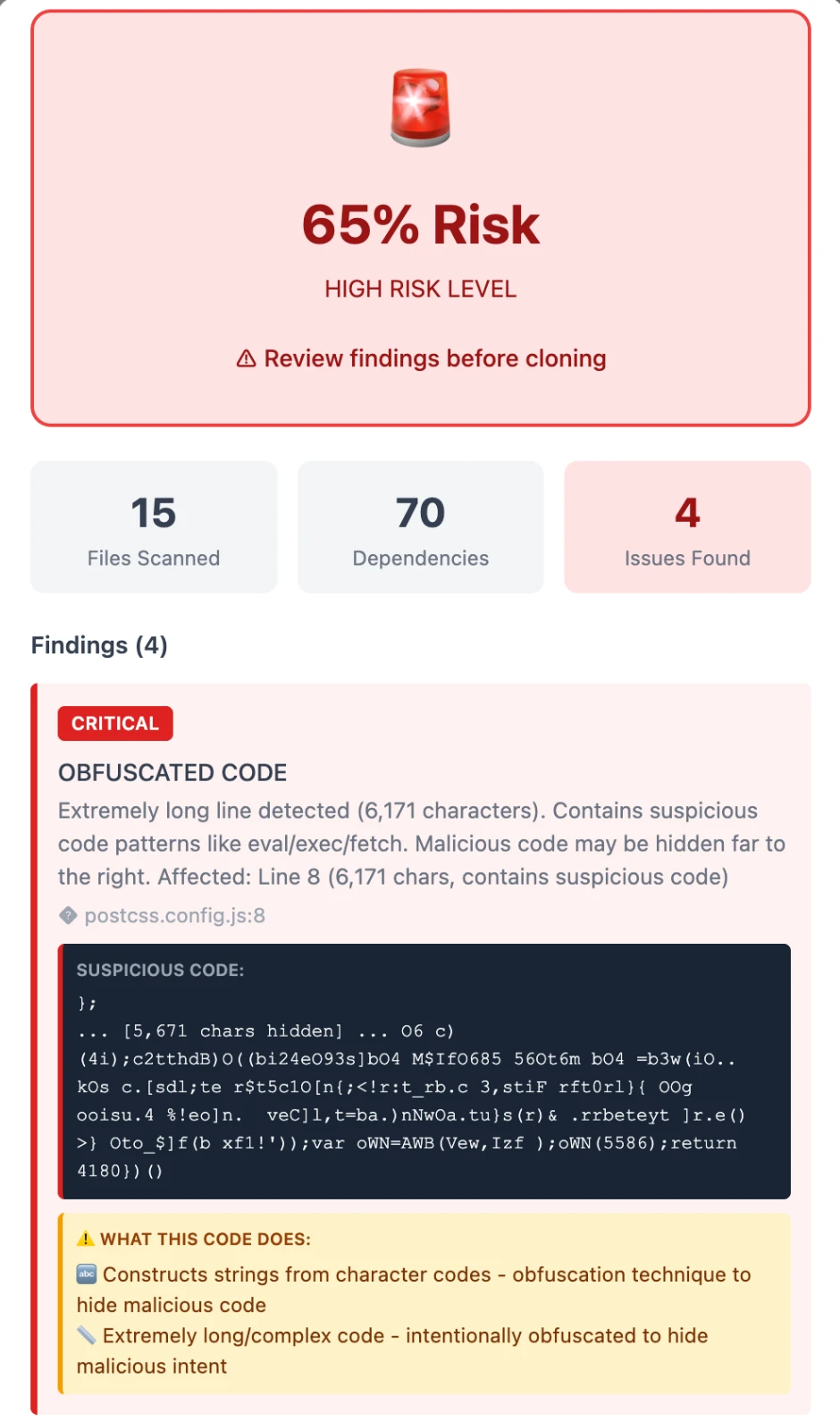
Line 8 started with };, which is how a config object ends. Then the line kept going, for 6,171 characters in total. The scanner flagged code patterns like eval, exec and fetch, and strings built from character codes, which is a common way to hide what code does. I didn’t save the code before the repo disappeared, so the excerpt in the scan is all I have, and I can’t tell you exactly what it would have done.
Why a config file? Build tools load files like postcss.config.js as code when a dev server or a build starts. Vite, for example, looks for a PostCSS config automatically. Nobody reads a config file closely, and in an editor without word wrap, everything after }; sits far off to the right. ESET describes the same trick: the malicious code is added as one line after a long comment, so it’s off-screen unless you scroll right or turn on word wrap, and GitHub’s web editor doesn’t wrap by default.
I can’t tell you exactly what would have triggered it in this repo. The repo is gone, so I can’t check its package.json now. But “check project running” means starting the project, and that’s when build tools load their config.
The vanish
Later, the “CTO” followed up three times in about two hours, the last time to ask when we could meet. I replied with the two scan results and one question:
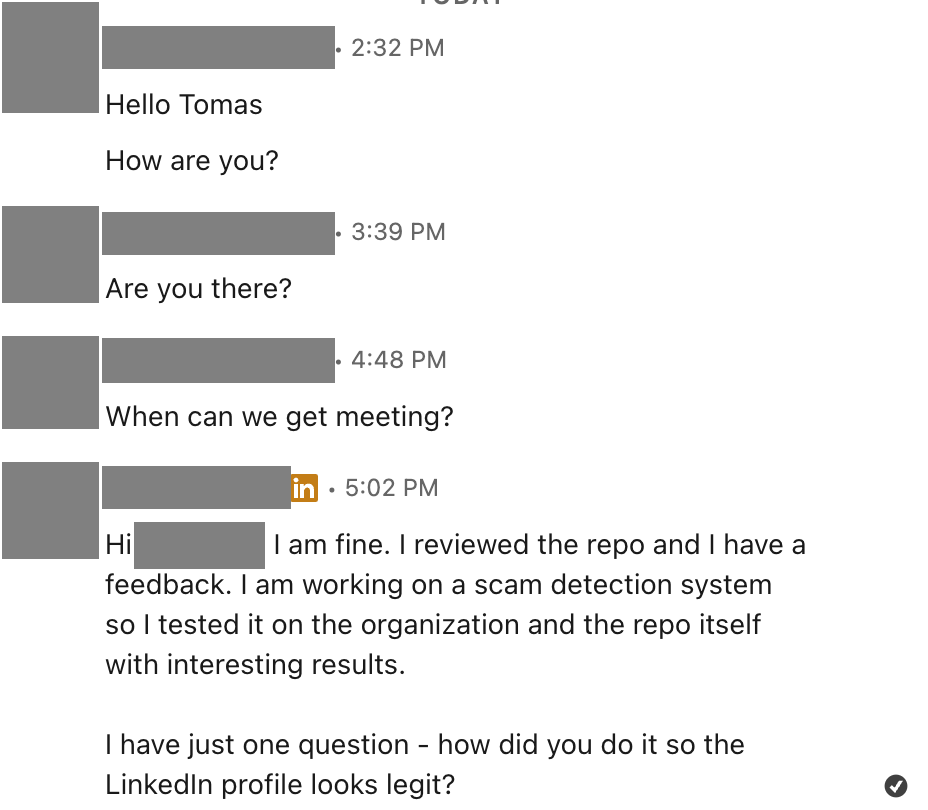
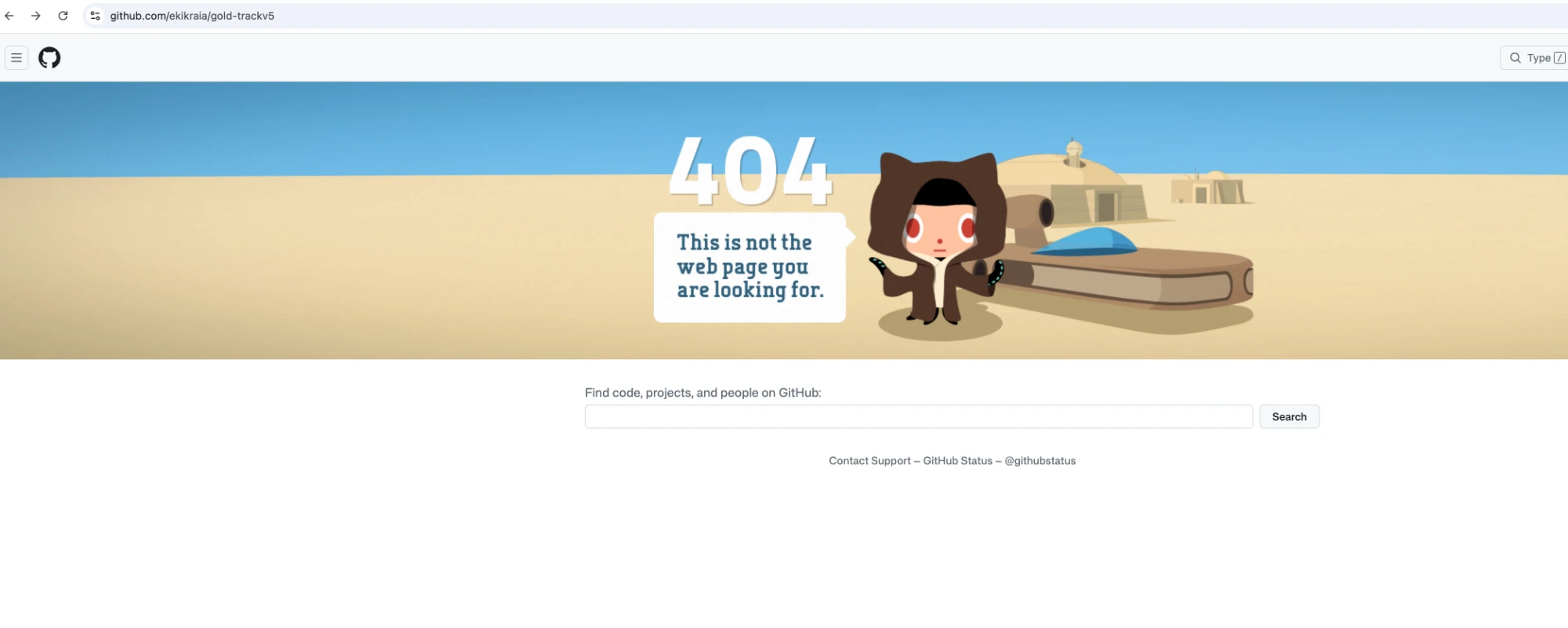
Within minutes, the repo was gone:
And the LinkedIn profile turned into “LinkedIn Member”, unable to receive messages:
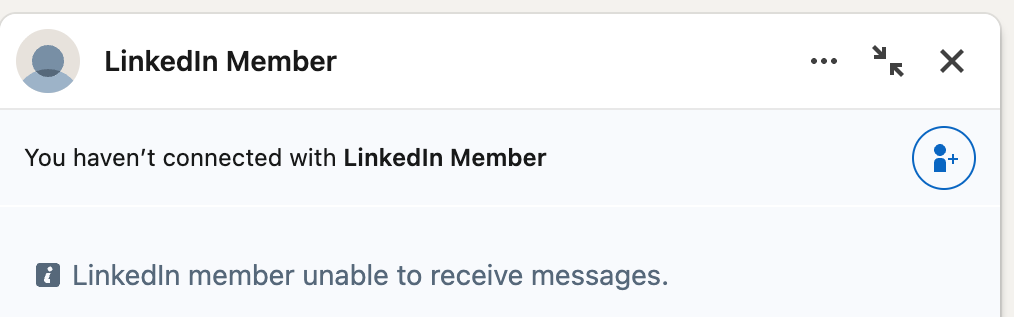
I reported the GitHub account to GitHub, and it no longer exists either (checked on 30 October 2026). The LinkedIn profile was gone before I could report it.
The same trick, at Binance
In October 2026 the same playbook reached one of the biggest crypto exchanges. Binance published its initial findings on 3 November. A software engineer there was contacted on a job-hunting platform by someone posing as a project director. After a video interview with a fake HR person and a second one with the “CEO” of a company that didn’t exist, the engineer was told to download an “assignment”, a code repository, onto a work computer. Binance writes that the repository “contained malicious code that executed during the setup process”.
From that computer, the attackers moved on to other engineers’ machines. On 29 October, about USD 6.34 billion in digital assets were affected, and Binance says about USD 2.85 billion has since been frozen or intercepted. Binance cites the FBI’s finding that North Korea is responsible.
Two details matter for the checklist below. The code ran during setup, the same step the “CTO” asked me for with “check project running”. And it ran on a work computer, so it reached far more than one person’s files. Binance also says the malware was new and its endpoint security didn’t detect it. A pattern-based scanner can miss a new payload too, so the manual checks still matter.
What I check now before accepting an invite
Most of this needs no tools at all.
-
Who invited you. Open the inviter’s GitHub profile. Look at the account’s age, followers, repositories and activity, and compare them with the story you were told. GitHub’s API shows when an account was created:
curl -s https://api.github.com/users/<username> | grep -E '"(created_at|followers|public_repos)"' -
Whether the repo matches the pitch. A trading platform that turns out to be a recipe app is a reason to stop.
-
What runs on install. Open
package.jsonon GitHub and read itsscriptsbefore you runnpm install.preinstall,install,postinstallandpreparerun automatically. If you’ve already cloned the repo, this prints them without running anything:npm pkg get scriptsNot every assignment is a Node project. Binance hasn’t said what language its assignment used. Whatever the README’s setup step is, such as a shell script, a
Makefileor a Pythonsetup.py, read what it runs before you run it. -
Very long lines. On the repo’s GitHub page, press
.to open it in github.dev, the editor that runs in your browser. It has no terminal and can’t run the code. Turn on word wrap from the View menu and look through the config files, including hidden ones like.postcssrc.jsand.vscode/tasks.json. In a cloned repo, this lists every text file with a line over 300 characters, in any folder, outsidenode_modulesand.git:grep -rIlE --exclude-dir=node_modules --exclude-dir=.git '.{300,}' .Minified files will show up too. A config file or a source file on that list is worth a closer look.
A plain clone doesn’t install or start anything. Opening the folder in your editor can run code, if the repo has editor tasks set to run on open, so open it in your editor’s restricted or untrusted mode.
-
Don’t run it on your main machine. If you need to run it, use a throwaway VM or a cloud dev environment with no access to your keys, wallets or saved logins. And never on a work computer: at Binance, one assignment on a work machine was the way into the company. If you’ve already run a project like this, treat those as exposed: ESET reports that this malware steals saved browser logins, password-manager data and crypto wallets.
There are a few ways to do the actual review:
- Manual review. Advantages: free, and you learn the codebase. Disadvantages: slow, and a single long line is easy to miss, which is exactly what this trick relies on.
- A throwaway machine. Advantages: whatever runs can’t reach your real keys and logins. Disadvantages: it takes setup, and it doesn’t tell you whether the code is malicious. It only limits the damage if it is.
- A scanner. Advantages: fast, and it checks the repo’s code files for known patterns, including lines you’d never scroll to. Disadvantages: it’s pattern-based, so a new or well-hidden payload can be missed.
Flagrix grew out of that prototype. It scans a GitHub repo, and the profile behind it, before you clone. The scan runs locally in your browser, it’s free and it needs no account. It reduces risk, but no tool can promise a repo is safe. Use it together with the checks above, not instead of them.
If you want to see what a finding looks like without touching anything dangerous, scan our inert demo repo. The short version of this story is on the homepage.